

When a computer refuses to start for the first time, it feels more like a door suddenly slamming shut than a machine breaking down. The screen stays dark or frozen, and the regular cadence of work abruptly disappears, to be replaced by a silent, eerie silence. The issue hardly ever feels technical in those situations. It seems intimate.
Microsoft developers have been more familiar with that reality than most users for decades, as they have seen crash reports mount and heard tales of unfinished theses, lost manuscripts, and years’ worth of financial records that were abruptly inaccessible. They recognized that dependability was a type of trust that was gradually established and swiftly destroyed, rather than merely a technical standard.
In the last several years, those engineers started to change their emphasis in a way that seemed especially creative, giving rehabilitation more importance than just prevention. They posed a more realistic query, asking what occurs after failure and how soon a system can be brought back to life, rather than presuming that every crash could be prevented. That small but significant change in perspective influenced the creation of a feature that is now covertly included in Windows 11.
| Key Fact | Details |
|---|---|
| Feature Name | Quick Machine Recovery |
| Introduced In | Windows 11 version 24H2 |
| Core Purpose | Automatically fixes computers that fail to boot |
| How It Works | Uses secure Windows Recovery Environment and cloud-based fixes |
| Default Status | Enabled on Home edition, optional on Pro and Enterprise |
| Broader Initiative | Part of Microsoft’s Windows Resiliency Initiative |
| Intended Benefit | Reduces downtime and helps restore files and productivity |
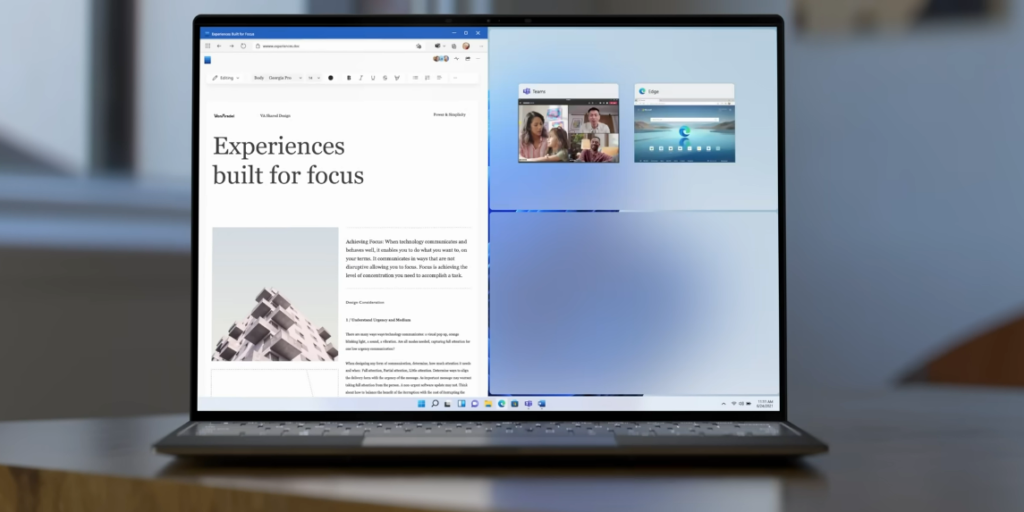
The so-called Quick Machine Recovery operates in the background in a way that is astonishingly efficient and mainly undetectable. When a computer doesn’t boot up, it enters a safe recovery environment that looks for known issues and automatically finds solutions via reliable update channels. The procedure restores functionality in minutes as opposed to days and doesn’t require the user to possess technical knowledge.
It helps to recall how fragile computing used to feel in order to understand why this matters. Because he had lost a fully finished book chapter to an unexpected system meltdown, a journalist I know kept a handwritten notebook next to his laptop out of caution rather than nostalgia. Even after replacing his computer with a newer model that was supposed to be very dependable, he later told me that he never again trusted it completely.
A acknowledgment of such worry and an effort to directly address it are reflected in Quick Machine Recovery.
The system can detect widespread problems impacting numerous devices and apply precise solutions by incorporating cloud-based remediation tools. When software conflicts or malfunctioning drivers start to affect thousands of machines, Microsoft can react swiftly thanks to this strategy. As a result, the healing process feels more like controlled restoration than guesswork.
The crash experience itself was also overhauled by engineers, who greatly shortened recovery times and provided more understandable information that aids in problem diagnosis without being overbearing to the user. Users of older versions of Windows might be left wondering if any progress was being made at all while they stared helplessly at a frozen screen for almost a minute. In an attempt to make recuperation feel responsive rather than uncertain, that waiting period has now significantly decreased.
If this kind of safety net had been in place years ago, I recall thinking about how my own connection with computers could have changed.
The ramifications go beyond specific users, especially for businesses where outages can cause complete disruptions to operations. A broad malfunction can immediately stop productivity in offices with hundreds or even thousands of computers, with logistical and financial repercussions that spread. Microsoft has made it possible for automated recovery, which maintains system functionality with the least amount of disruption.
This change also reveals more about how the connection between humans and their machines is changing. Computers are now linked systems with remote intelligence that can monitor and fix themselves rather than being standalone tools. The way that contemporary infrastructure silently and frequently without attracting notice has been remarkably analogous to that transition.
However, the capability is still buried in plain sight, tucked away in system settings that are rarely used by most users. It doesn’t make an announcement or ask for praise. It just waits.
Microsoft’s awareness that continuity, not fanfare, builds trust is one factor contributing to its subdued presence. Recovery elements are only important when something goes wrong, and by then, action rather than just explanation is required to provide reassurance. Only after the system restores what appeared to be lost does its worth become evident.
The feature, according to engineers, is a component of a larger resiliency strategy, which aims to create systems that are reliable even in the face of stress. They recognize a reality that seems realistic and honest by emphasizing healing as much as prevention: mistakes will be made, but their effects don’t have to be irreversible.
Despite their complexity, the technical specifics show a straightforward goal. Keep the user’s work safe.
Even though that aim is rarely discussed, it has emotional weight. Files stand for time, effort, and frequently identity. More than just inconvenience can result from a misplaced document. It may indicate that someone has interrupted a story they were in the middle of telling.
